Build a useful client record
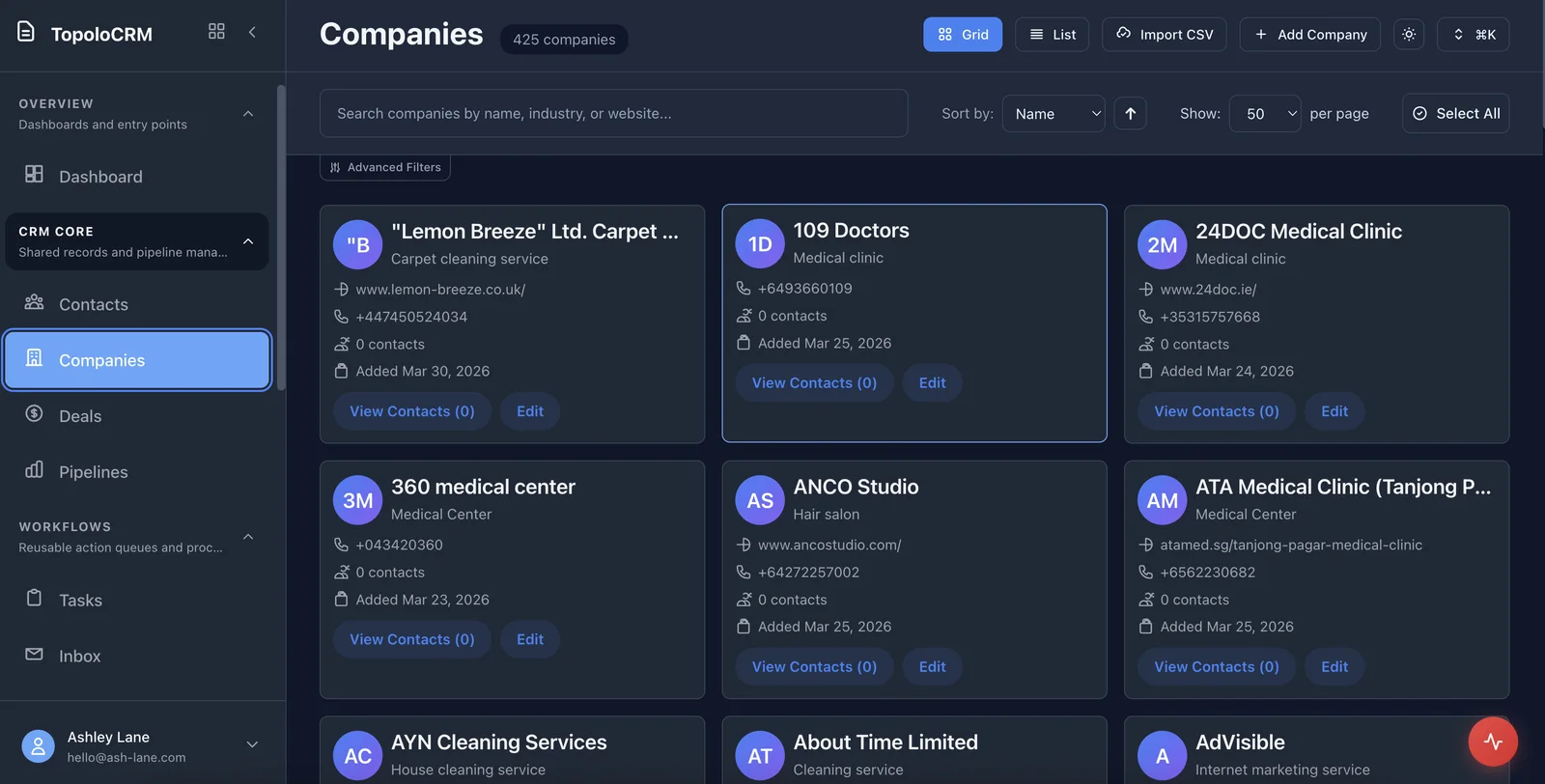
Keep the person, company and relevant notes together. Import an existing contact spreadsheet or create records as enquiries arrive.
Topolo for Consultants
From the first enquiry to the next piece of work, keep client details, deal context and follow-up together. Topolo CRM gives independent consultants and small practices a clear place to manage the commercial side of their work.
The work behind the workflow
A prospective client asks for a proposal. An existing client wants to extend the engagement. A useful introduction arrives between meetings. When the details live across email, a spreadsheet and your memory, even a good opportunity can lose momentum. Keep the relationship and the next step visible, so your next conversation starts with the context you already have.
How it works
Start with CRM for the relationship. Bring in the other apps when you need to prepare the work or deliver it.
Keep the person, company and relevant notes together. Import an existing contact spreadsheet or create records as enquiries arrive.
Use deals and tasks to keep the opportunity and follow-up visible. Record what was discussed and what needs to happen before you speak again.
Use Compose for the proposal or report and Roadmap for delivery planning. Give each part of the engagement a clear home in the suite.
Keep the first exercise bounded, then check the handoffs needed for a broader process.
Consulting work crosses enquiry, meeting and document review. Keep the relationship in CRM, use Calendar for booking and agree which documents need review or a signature.
Record the client context and the next commercial action in CRM.
Choose a suitable appointment type and retain the questions the discussion should resolve.
Use Compose for the draft and agree the supported export and signing steps before sending it.
Confirm confidentiality, reviewer access and the actual document handoff with one redacted engagement.
Use these questions to explain your current process and agree what a useful evaluation would need to show.
Consider this against a recent example from your own process.
Consider this against a recent example from your own process.
Consider this against a recent example from your own process.
Consider this against a recent example from your own process.
Consider this against a recent example from your own process.
Consider this against a recent example from your own process.
These are proposed checks to tailor with the people doing the work. They describe an evaluation, not results already achieved.
Five distinct contacts can be saved and read back with the intended identifying fields.
Each contact has a saved note containing enquiry context, next action and proposed due date. Reopen all five and compare.
Repeat five matched retrieval tasks in the existing method and CRM. Meet the operator’s agreed minimum time saving without losing required context.
The operator performs two later retrieval/update sessions without facilitator rescue and records any missing information.
Budget owner reviews results, names remaining blockers and decides whether to run a longer trial.
The suite
Start with the app that solves the immediate problem. Bring in the others when the work needs them, with access governed by each app and workspace.

Contacts, companies, opportunities and the tasks that keep a relationship moving.
Business documents, saved versions and an assigned review.
Appointment types, availability and a clear booking experience.

Projects, delivery items and the dependencies behind the plan.

Supported mutual NDA reviews with source-linked findings and tracked changes.
Double-entry records, invoices, bills and controlled accounting periods.
Useful questions for choosing the right starting point.
Yes. Start with your own contact and deal records, then add colleagues as your practice grows. You can begin with CRM without organising your entire business around every app at once.
CRM supports CSV import and field mapping for contact and company records. Review the mapping before importing so the details land in the right fields.
Compose handles business documents and review; Roadmap handles projects, roadmaps and nested work items. The suite lets you use a focused app for each part of the engagement.
Check the product, review the details or talk through your next workflow.
See the CRM workspace and its current availability.
See the available capabilities and how they work.
Find another starting point for your business or role.
Review current plan terms and the apps your workflow needs.
Talk through the process and requirements you want to evaluate.
Explore CRM, or book a demo around the way your consultancy wins and delivers work.