Start in the right context
Select the personal or organisation workspace needed for the task.
Topolo for IT director
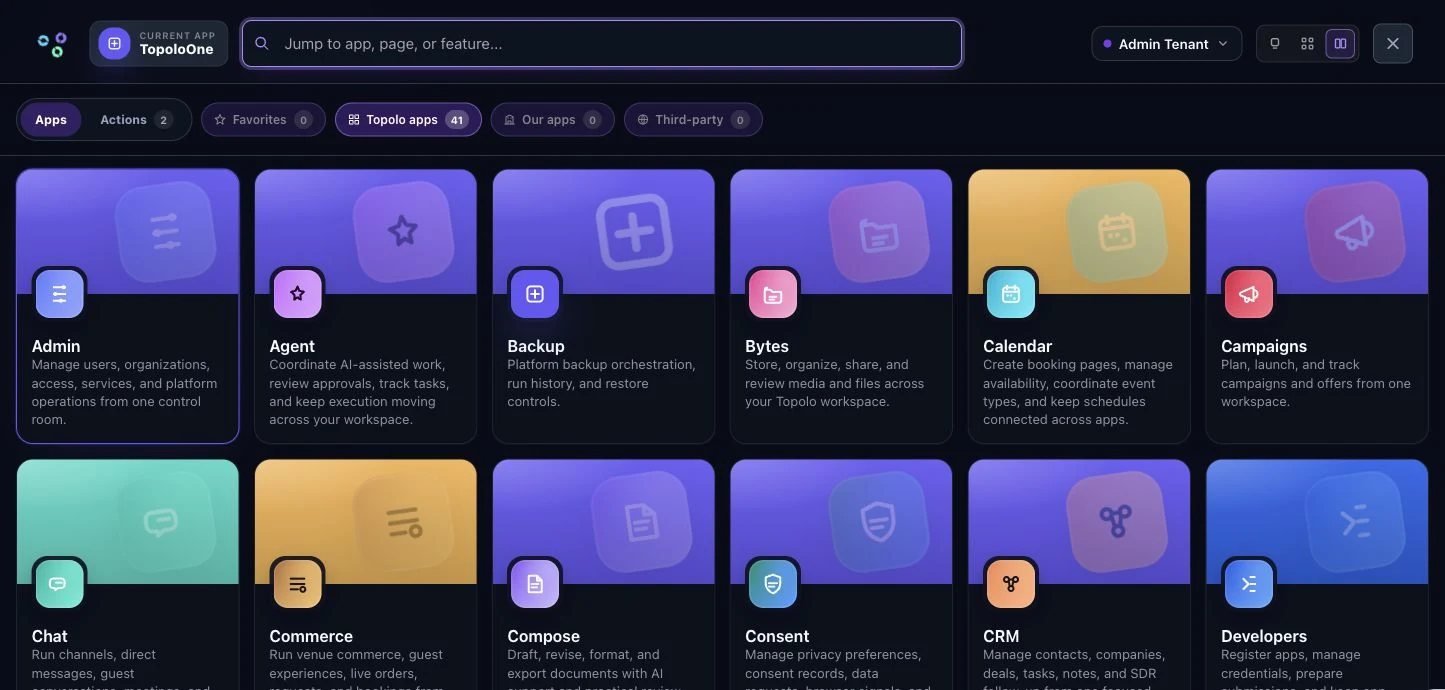
Use TopoloOne as the starting point for app discovery and workspace context. Review identity, app access and supported device requirements as distinct parts of the operating setup you are choosing.
How it works
Start with One for this part of the work. Verify the handoffs before extending the workflow.
Select the personal or organisation workspace needed for the task.
Use the available catalog and launch surface to open the apps the workflow requires.
Verify access, plan eligibility and the specific app behaviour needed by the people doing the work.
The suite
Start with the app that solves the immediate problem. Bring in the others when the work needs them, with access governed by each app and workspace.
A shared starting point for discovering apps and opening workspaces.
OpenOrganisation identity, roles, scoped credentials and workspace access.
OpenApproved identity, assets, voice and claims in a published brand kit.
OpenPublished app actions connected into a workflow you can inspect.
OpenVersioned AI agents with evaluations, approvals and accountable runs.
OpenVersioned documents, organised spaces, search and cited answers.
OpenUseful questions for choosing the right starting point.
Use TopoloOne as the starting point for app discovery and workspace context. Review identity, app access and supported device requirements as distinct parts of the operating setup you are choosing.
Start with the workflow above and compare the result with your current process. Check the relevant app access, supported inputs and handoffs before bringing more work into the suite.
Use the current pricing page to review plan terms. For a workflow spanning several apps, discuss the access and operational requirements in a demo before choosing the setup.
Check the product, review the details or talk through your next workflow.
See the One workspace and its current availability.
OpenSee the available capabilities and how they work.
OpenFind another starting point for your business or role.
OpenReview current plan terms and the apps your workflow needs.
OpenTalk through the process and requirements you want to evaluate.
OpenSee how this workflow fits your small or midsize organization work. Review the apps or book a demo around the process you want to improve.