Set the cash accounts
Choose the account and planning period for the review.
Topolo for Fractional CFOs
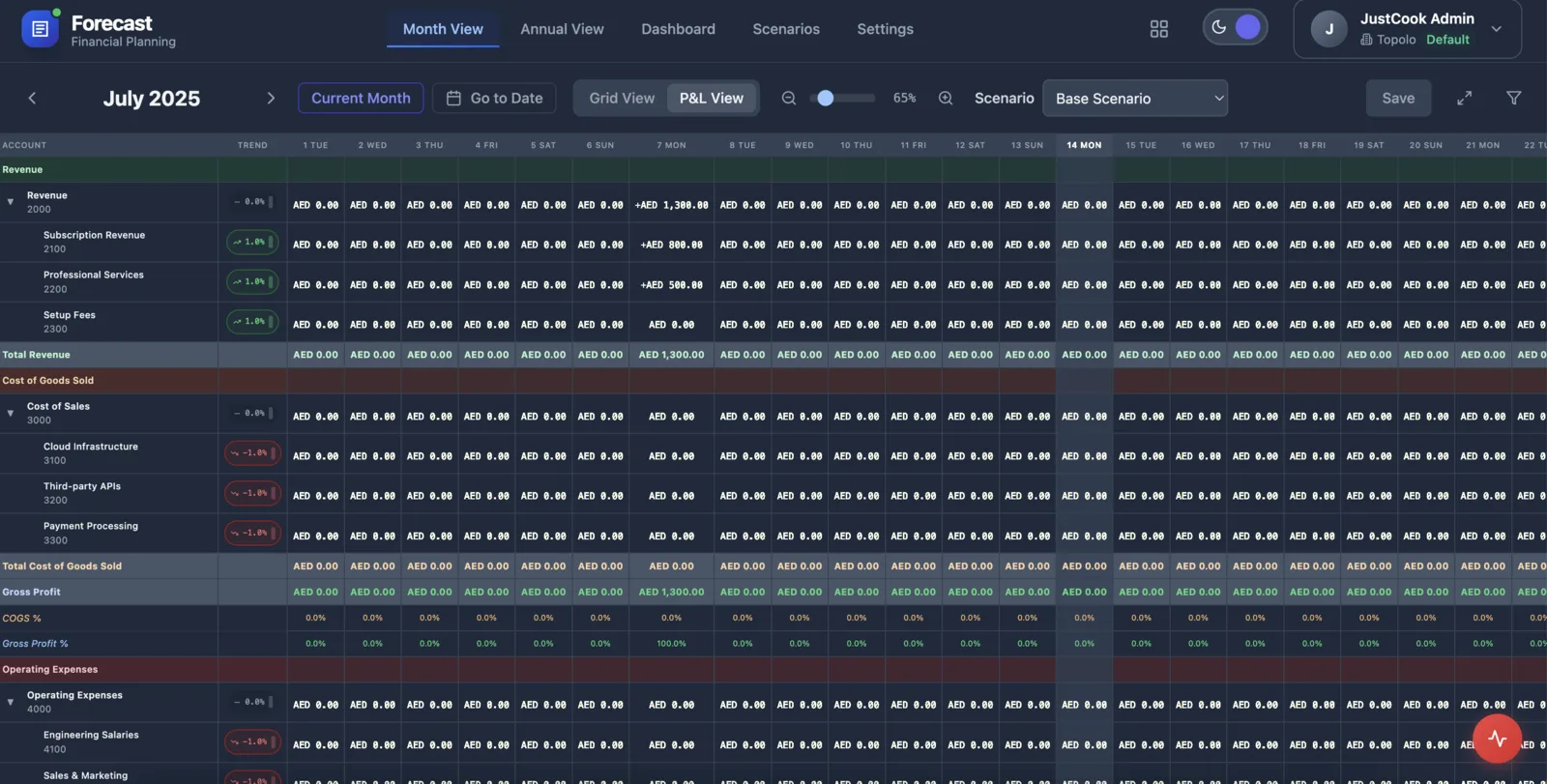
Keep cash accounts, receipts, payments and planning scenarios together in Topolo Forecast. Give each client a cash view with timing assumptions you can inspect and reconcile at the next review.
The work behind the workflow
A client wants to hire, commit to a purchase or understand a slower collection period. The discussion needs a clear view of the assumptions behind the numbers, not just a fresh spreadsheet sent before the meeting. Keep financial planning in a focused surface, then use the wider suite for the business records and documents that support the conversation.
How it works
Make the inputs, the scenario and the interpretation explicit before a decision is made.
Choose the account and planning period for the review.
Bring expected receipts and payments into the cash entries.
Change a timing assumption and reconcile the resulting cash view with the baseline.
The suite
Start with the app that solves the immediate problem. Bring in the others when the work needs them, with access governed by each app and workspace.
Cash accounts, expected movements and planning scenarios.
OpenDouble-entry records, invoices, bills and controlled accounting periods.
OpenContacts, companies, opportunities and the tasks that keep a relationship moving.
OpenBusiness documents, saved versions and an assigned review.
OpenFiles, folders, search and sharing for the material behind the work.
OpenAppointment types, availability and a clear booking experience.
OpenUseful questions for choosing the right starting point.
Cash accounts, entries and planning scenarios. Start with a defined period and compare receipt or payment timing with a baseline you can reconcile.
Yes. Use planning scenarios to examine cash movements and timing, then check the resulting view against the figures used for the review.
Books supports double-entry posting and period controls. Use it for the accounting record and Forecast for the cash planning workflow.
Check the product, review the details or talk through your next workflow.
See the Forecast workspace and its current availability.
OpenSee the available capabilities and how they work.
OpenFind another starting point for your business or role.
OpenReview current plan terms and the apps your workflow needs.
OpenTalk through the process and requirements you want to evaluate.
OpenExplore Forecast, or book a demo around the financial planning workflow you support.